Conversations across languages
Multilingual visitor experiences and translation tools to help your team communicate.

One place for your conversations, your team and the context that matters. Deliver thoughtful support from the first hello to the next follow-up.

Keep the work connected, so your team can focus on the people behind each message.
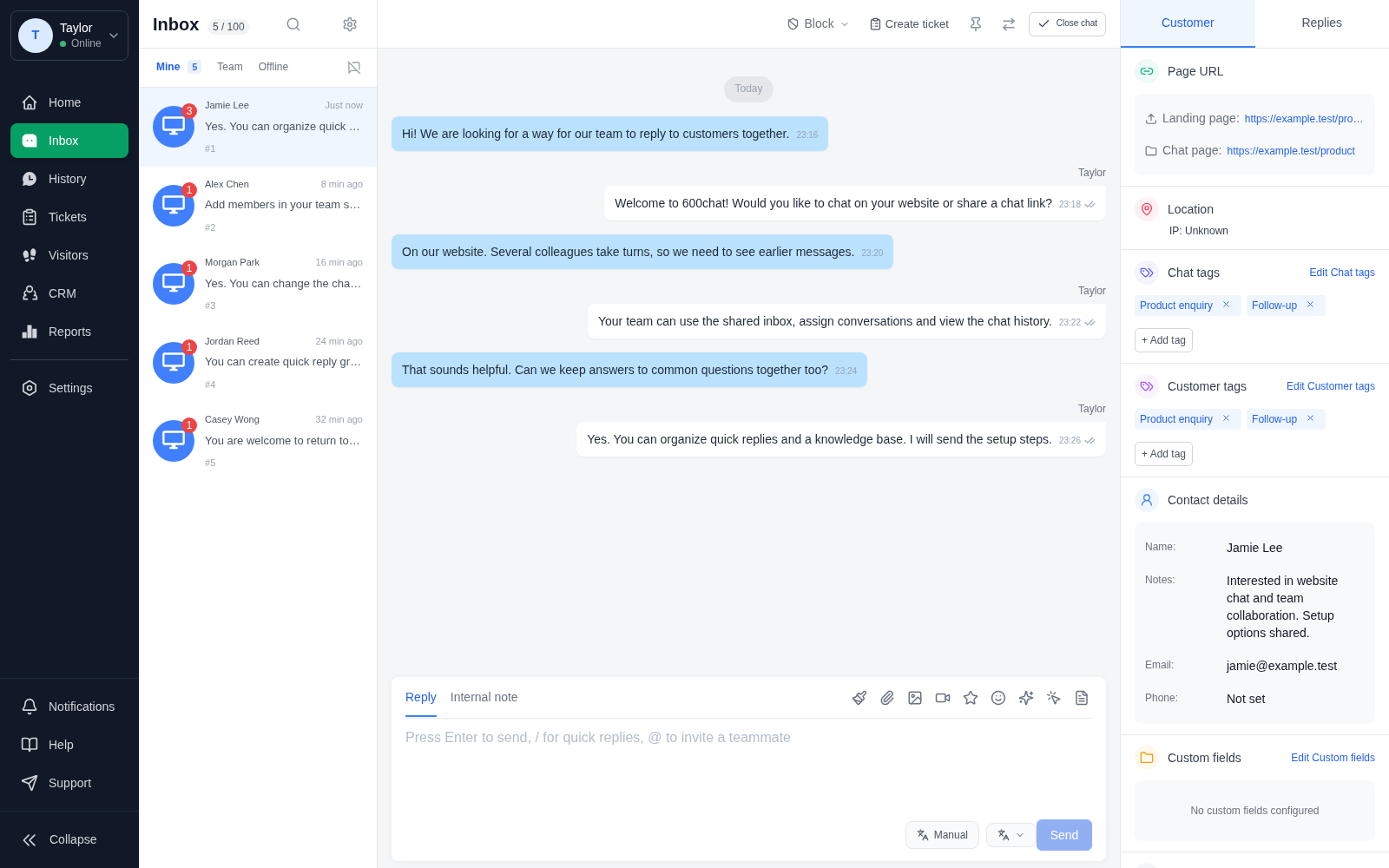
Bring incoming conversations into one inbox. Assign a teammate, follow the conversation and keep everyone working with the same context.
Explore the details
Keep incoming conversations and their status in view.
Keep the conversation in view while you write your next reply.
Find visitor details and tags alongside the conversation.
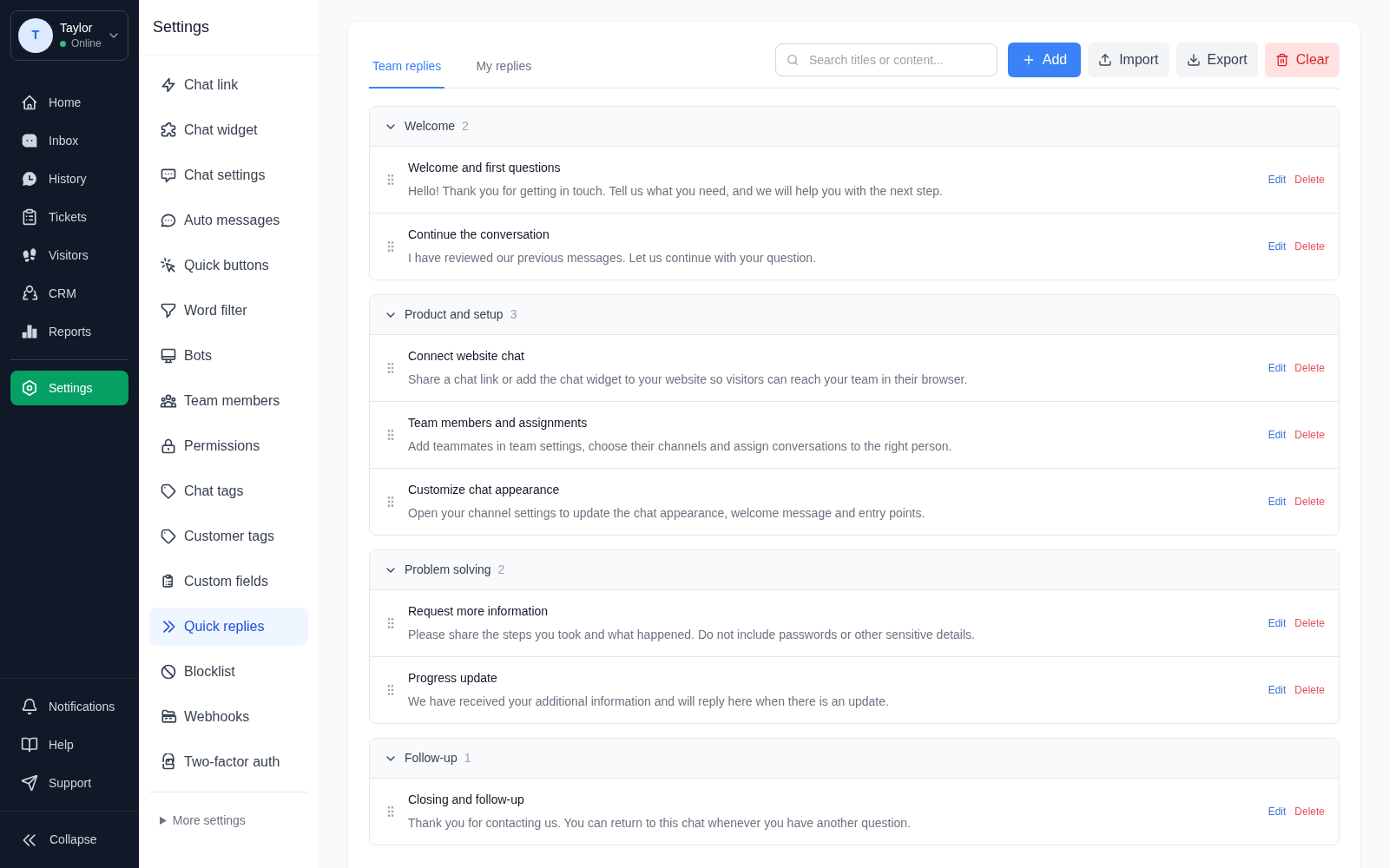
Organize useful replies by topic. Give your team a consistent starting point, with room to make every answer personal.
Explore the details
Group saved replies by topic so your team can find them again.
Find a saved reply by its title or content.
Edit a saved reply as your information changes.
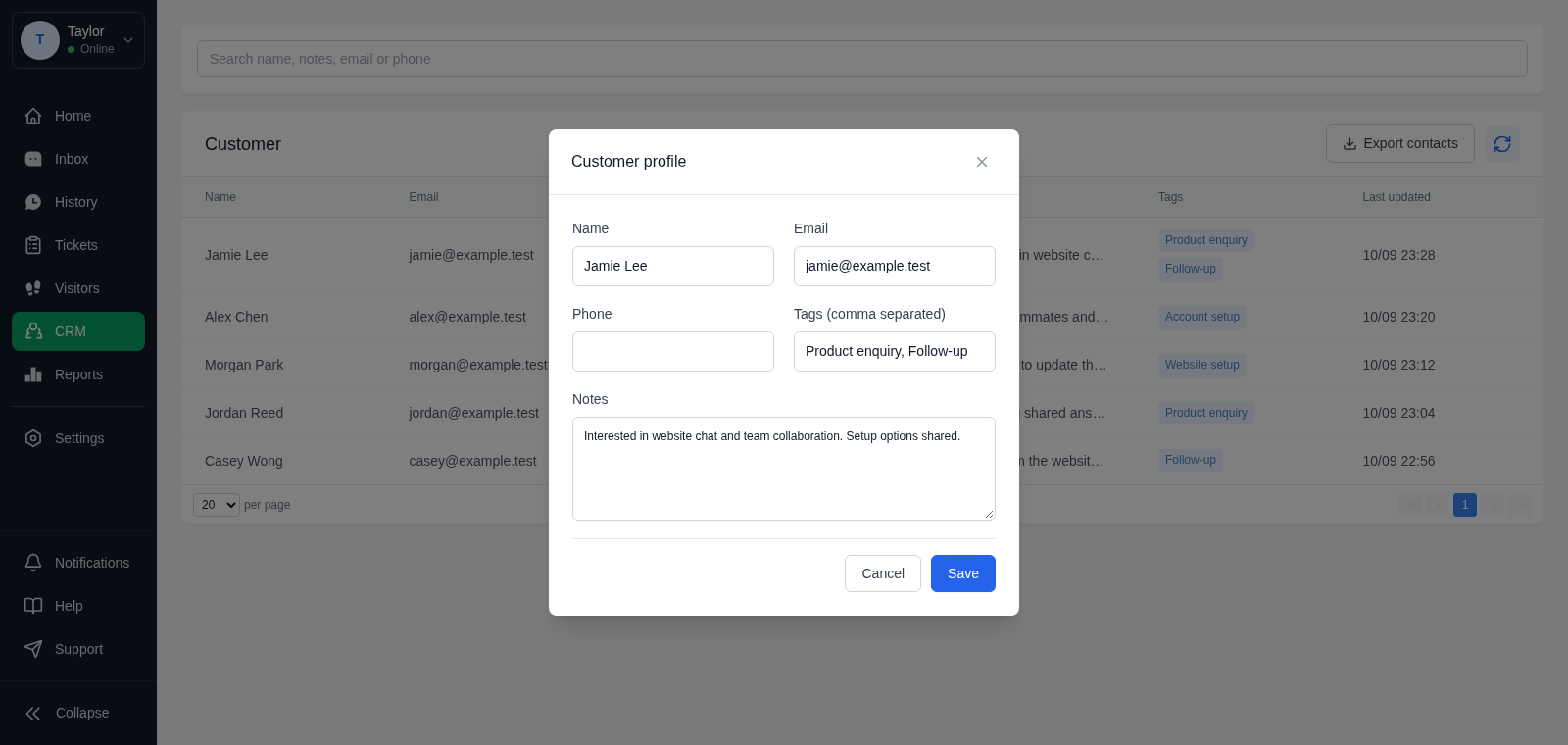
Keep contact details, notes and tags together. Pick up a conversation with the information your team has already gathered.
Explore the details
Keep customer names and contact information together.
Use tags to organize customer records.
Record useful context for your next conversation.
Multilingual visitor experiences and translation tools to help your team communicate.
Keep useful information and common answers close to the people who need them.
Use conversation and service reports to understand how your team is doing.

Connect your customer-facing team with the conversations and knowledge they need to keep service moving.
Start with a chat link or website widget. No application download is needed to begin a conversation.
Assign conversations and share context, so the next teammate can pick up where you left off.
Return to the customer’s details and conversation history when it is time to continue.
Set up the entry point. Bring your people together. Start the conversation.
Talk to usShare a chat link or add a chat widget to your website. Customize the welcome and appearance in your channel settings.
Customers open your chat link or website widget, then start the conversation in their browser.
Set up channels and teammates. Assign conversations and keep incoming enquiries visible in the shared inbox.
Assign a conversation to a teammate and keep the conversation history together.
Use customer details, quick replies and your knowledge base to support each conversation.
Bring customer details and saved answers into the next conversation.
Clear policies are part of a considered service. Understand how information is handled, the terms that apply and how to reach us.
600chat is a customer service platform that brings live chat, team collaboration, customer information and support tools into a shared workspace.
No. Customers can open a shared chat link in their browser, or start a conversation through a chat widget on your website.
Yes. Teams can manage conversations together, assign them to teammates and use shared customer context to keep replies consistent.
600chat includes multilingual visitor interfaces and translation tools. The languages and translation services available depend on your workspace configuration.
Channel settings let you customize the chat appearance, welcome content and entry points to suit your customer experience.